Most nutrition apps collect health data, but they do not all give you the same level of control. In this comparison, I found a clear split: Welling and Cronometer keep tracking and sharing more limited, while MyFitnessPal, Noom, and Lose It! collect more data and give users less control in key areas.
Here's the short version:
- Best privacy picks: Cronometer and Welling
- Most trackers found: MyFitnessPal with 8
- Most sensitive coaching data: Noom
- Fastest deletion window: Cronometer at 7 days
- Least portable: Noom, because it has no export
- Known breach history: MyFitnessPal had a 150 million-account breach in 2018
What I'd check before using any nutrition app:
- What it collects: meal photos, weight logs, chat prompts, sleep, heart rate, GPS, and body scans
- What it shares: ad partners, analytics tools, or service partners
- How it stores data: whether health data is encrypted in transit and at rest
- How easy it is to leave: export options and deletion timing
One point matters most: these apps often fall outside HIPAA when you enter data on your own. So if you log meals, upload photos, or chat with an AI coach, you should assume the app's own privacy rules matter more than many people think.
Audit your health data privacy: what is your fitness tracker really tracking?
Quick comparison
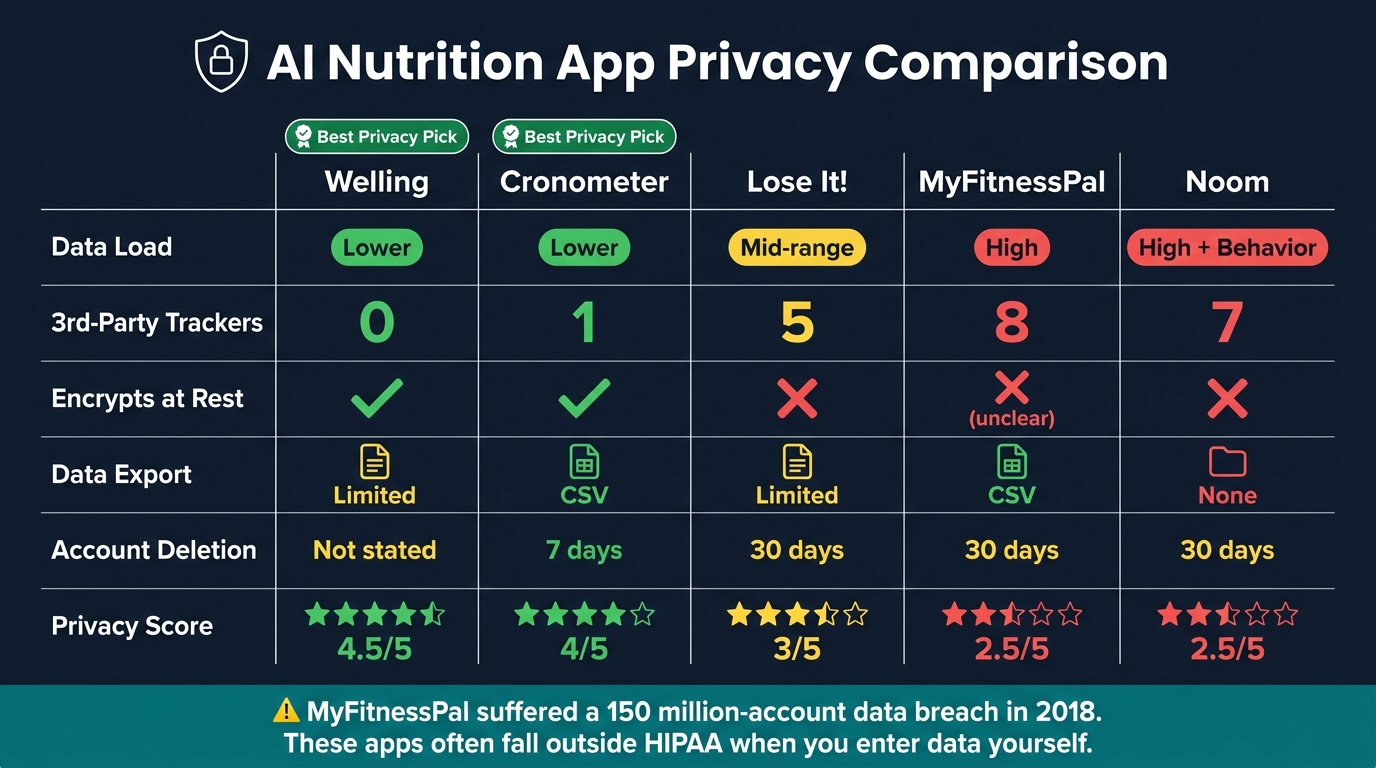
| App | Data load | Trackers | Encrypts at rest | Export | Deletion |
|---|---|---|---|---|---|
| Welling | Lower | 0 | Yes | Limited public detail | Not publicly stated |
| Cronometer | Lower | 1 | Yes | CSV | 7 days |
| Lose It! | Mid-range | 5 | No | Limited | Up to 30 days |
| MyFitnessPal | High | 8 | Not clearly stated | CSV | Up to 30 days |
| Noom | High, with behavior data | 7 | No | No export | Up to 30 days |
If you want the simple takeaway, it's this: the safest app is usually the one that collects less, shares less, and lets you delete or download your data without a fight.
1. Welling
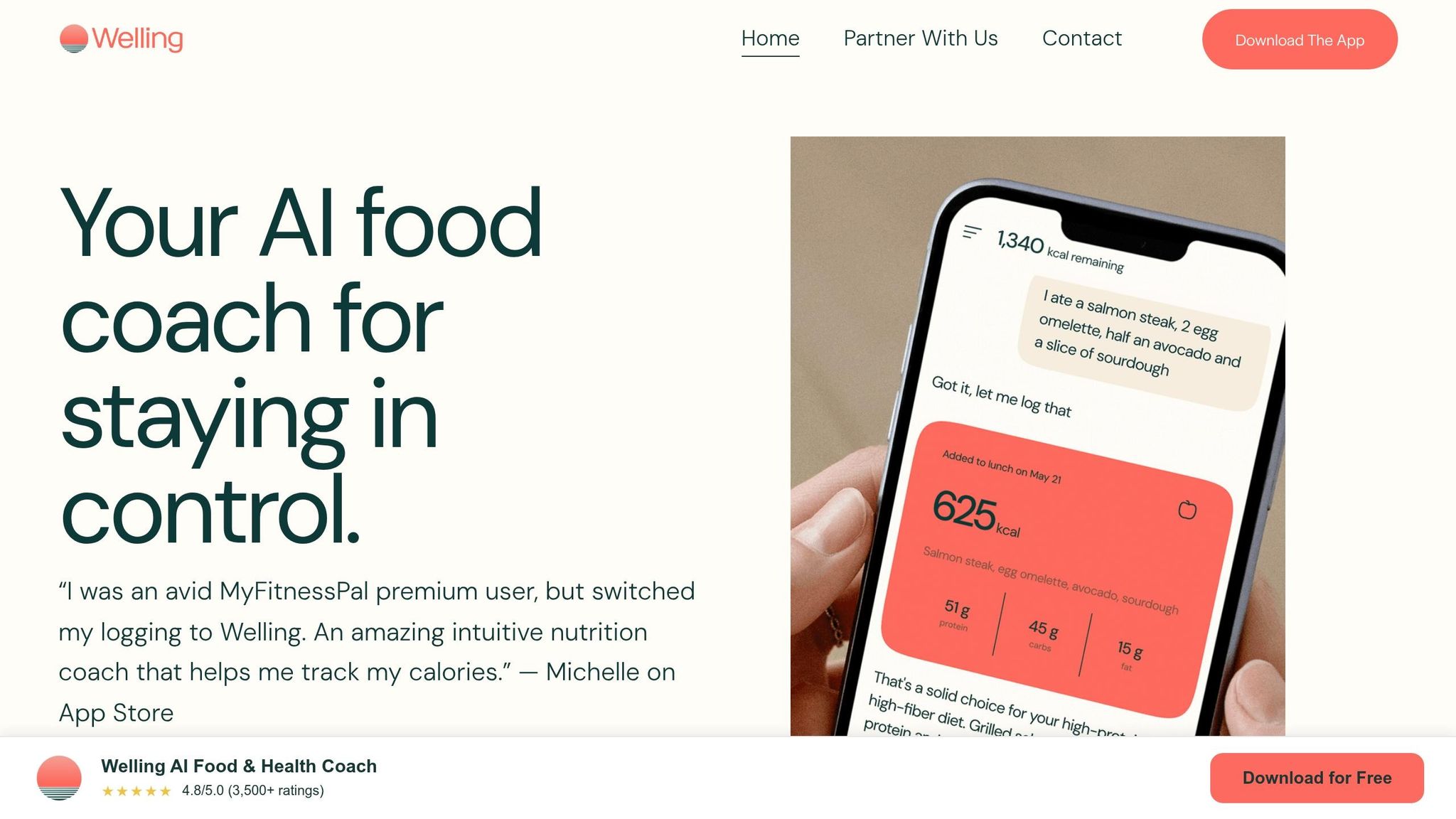
Welling collects data from meal photos, voice clips, chat prompts, and syncs with Apple Health or Google Fit. It also factors in GLP-1 use and diet preferences when setting targets. Over time, the app learns repeat photo cues - things like a coffee mug, portion ratios, and serving style - to sharpen its suggestions.
That makes Welling a solid starting point when you want to compare how nutrition apps handle the tradeoff between convenience and data access.
Data use and sharing
Welling is subscription-only at $9.99/month or $79/year. Since it doesn't lean on ads, there's less pressure to use data for ad targeting. Its AI coach also keeps context from prior weeks, which helps it adjust targets and suggest what to eat next.
Storage and security
By default, meal recognition happens in the cloud. iOS users can switch to on-device processing, which gives them more say over where sensitive data is handled. If photos are taken while offline, they stay on the phone until the device reconnects.
User control and deletion
Welling scores well for clear data policies and fewer dark patterns. Users can decide what syncs with Apple Health and Google Fit. Deletion timelines aren't public, though. And because there's no web app, account management stays inside the mobile app.
That mix of personalization and user control stands in contrast to larger apps that pull in much more data while giving people less visibility.
MyFitnessPal deals with similar data at a much bigger scale, with different privacy tradeoffs.
2. MyFitnessPal
Compared with Welling, MyFitnessPal gathers a lot more data and leans much harder on ads and analytics tracking.
The app collects email, age, sex, ZIP code, payment records, food and calorie logs, weight, BMI, body fat percentage, self-reported conditions or medications, device IDs, IP addresses, advertising IDs, and synced data from Apple Health, Fitbit, or Garmin, including steps, heart rate, sleep, workouts, and GPS traces. That gives MyFitnessPal more to tailor inside the app, but it also means there's more information that can be shared.
Premium Meal Scan adds another layer. It uploads meal photos, and those images may include location metadata.
Data use and sharing
MyFitnessPal shares data with advertising partners and business partners, and its privacy policy uses wording that makes the line between health data and general usage data less clear. Network analysis found 8 third-party trackers - the highest total among the major nutrition apps reviewed. The free version depends heavily on ads, and even Premium still includes analytics tracking. Unlike Welling, MyFitnessPal depends on third-party trackers and ad partners.
Storage and security
MyFitnessPal stores data on U.S. servers. It encrypts data in transit, but it does not plainly say that health data is encrypted at rest.
User control and deletion
For users, the big issue is control. MyFitnessPal lets people export data in CSV format, submit data access and deletion requests, and delete an account in full, usually within 30 days. Since the app collects more sensitive data than Welling, those options carry more weight.
U.S. users in California and Washington also get extra opt-out rights under CCPA/CPRA and the My Health My Data Act. Independent analysis gives the privacy policy a 2.5 out of 5 for clarity.
3. Cronometer
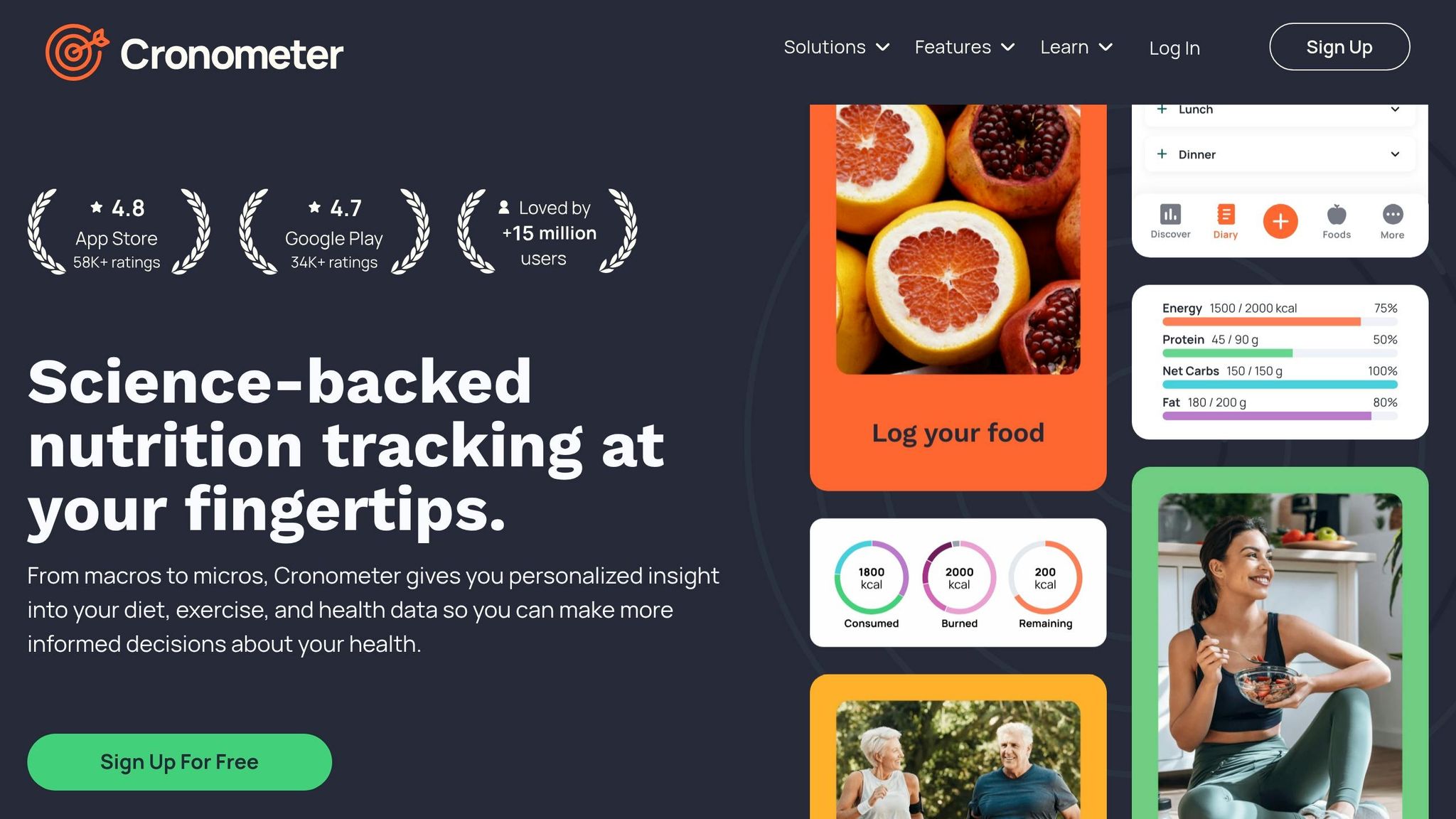
Cronometer takes a narrower approach to data collection, and that matters. It collects food logs, body metrics like weight, body fat, and measurements, plus health conditions, age, sex, and location. It can also pull in biometric data from connected services like Apple Health, Garmin, Oura, and WHOOP, including heart rate, sleep, and GPS tracks. That kind of sync is handy, but it can also expose your routines and locations, so it makes sense to limit those integrations.
Data use and sharing
Cronometer says it does not sell personal health data or share it with advertisers. Network analysis found just 1 third-party tracker in the app, and it was used for usage analytics rather than health data. The free version does show ads, but Cronometer says personal health data is not used for ad targeting. If you want an ad-free setup, Gold costs $9.99/month or $39.99/year and removes ads and trackers.
Storage and security
On protection, Cronometer also performs better than MyFitnessPal. It encrypts health data both at rest and in transit. The app is GDPR-compliant and built for clinical and professional use. In a 2026 analysis, its privacy policy scored 4 out of 5 for clarity.
User control and deletion
You can export your data on the free tier in CSV format. Account deletion is processed within 7 days, which is faster than MyFitnessPal, Noom, and Lose It!, where deletion can take up to 30 days.
Compared with the best AI weight loss apps, Cronometer sets a higher bar on privacy controls.
4. Noom
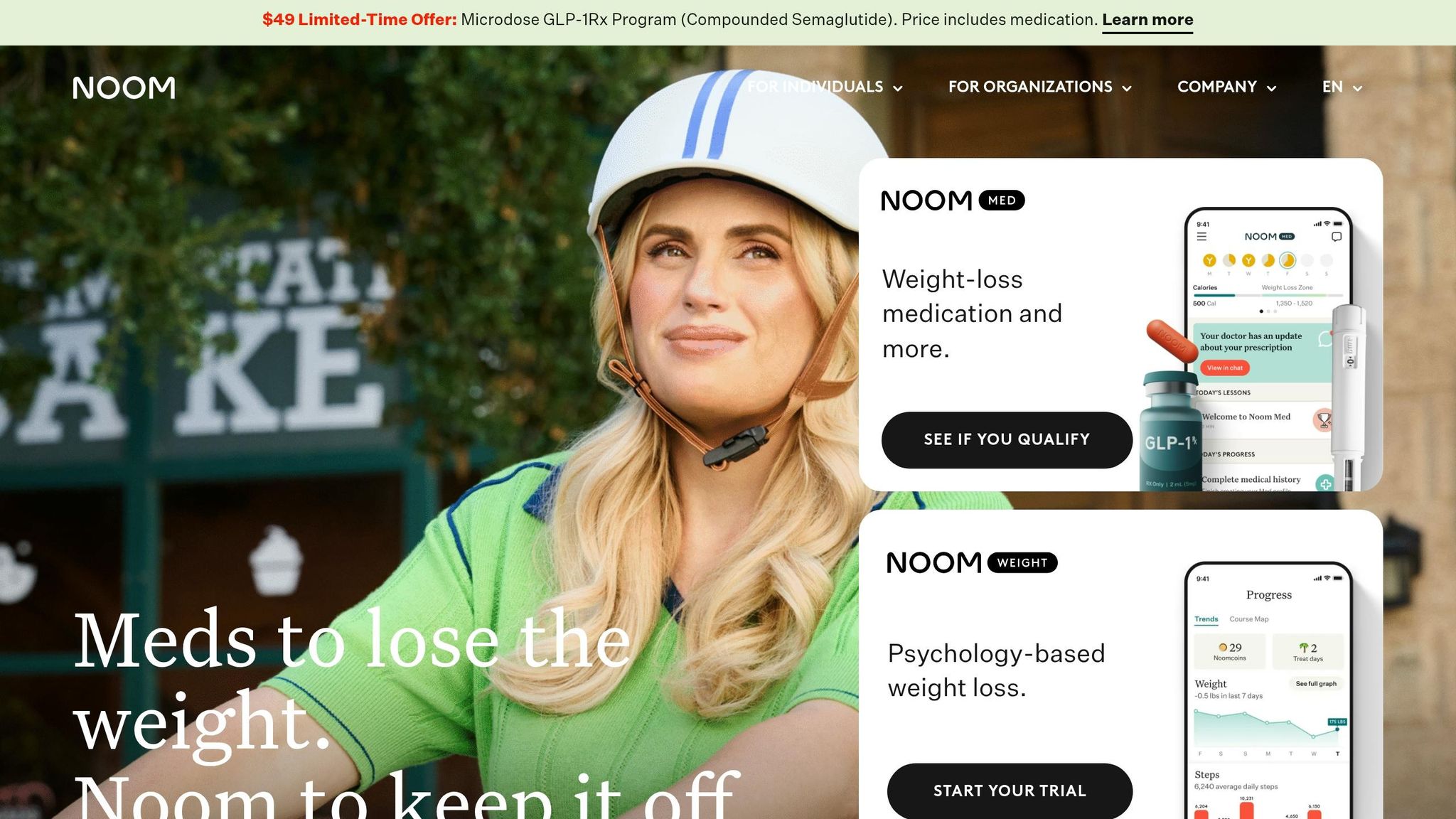
Noom moves beyond basic food logging and leans into AI coaching. That makes the app feel more personal, but it also means it handles a much deeper pool of sensitive data.
Instead of sticking to meals and body stats, Noom collects behavioral data such as psychological assessments, food attitudes, behavior patterns, and coaching messages. That matters. The coaching layer isn't just another feature on the screen. It builds a richer picture of how a person thinks, eats, and responds over time. Noom also uses camera-based body scans to track lean mass and body-fat trends, which adds a biometric data stream that most top AI nutrition apps never collect.
Data use and sharing
Noom says it does not sell personal health data, but it does share data with partners for marketing and service improvement. A 2026 network analysis found 7 third-party trackers active in the app. For comparison, Cronometer had 1 and Welling had 0. Its privacy policy clarity score is 2.5 out of 5, tied with MyFitnessPal for the lowest score in this group.
Storage and security
Noom encrypts data in transit but not at rest. In plain English, data is protected while moving between systems, but stored health records may be more exposed if a breach happens.
User control and deletion
This is where Noom falls furthest behind. It has no data export feature, so users can't download their history as CSV or JSON. Account deletion can take up to 30 days to process, matching MyFitnessPal and trailing Cronometer's 7-day window.
Put simply, Noom gathers sensitive behavioral data while giving users less control over portability and slower deletion.
Lose It! takes a simpler approach to tracking, but its data practices still matter.
5. Lose It!
After Noom's deeper behavior-based data collection, Lose It! feels simpler. But it's not light on privacy. In practice, it lands in the middle: less data-hungry than MyFitnessPal and Noom, but not as restrained as Welling and Cronometer.
Data collected
Lose It! collects food and calorie logs through manual entry, barcode scanning, and its Snap It photo tool. It also gathers weight and body measurements, demographic details like age, sex, and location, workout data, and wearable data from Apple Health, Google Fit, Fitbit, and Garmin.
That extra convenience comes with a tradeoff. Tools like Snap It and wearable sync mean more data exposure than you'd get with Welling and Cronometer.
Data use and sharing
On the free tier, Lose It! uses five third-party trackers, including ad SDKs, and shares data with advertising partners, though it says health data is excluded. The problem is the line isn't very clear. Its policy leaves a gray area between health data and behavioral data.
Its privacy policy clarity score is 3 out of 5. That puts it ahead of MyFitnessPal and Noom, but behind Welling and Cronometer.
Storage and security
Lose It! encrypts data in transit, but not health data at rest. That's a weaker setup than Welling and Cronometer, which both encrypt data at rest and in transit.
User control and deletion
This is where Lose It! falls short. Account deletion can take up to 30 days to process. Data export is also limited, and there's no single export that gives you all of your historical data.
Privacy pros and cons for each app
No single app wins across the board. Each one makes its own trade-off between ease of use and privacy. The table below sums up the main differences in data collection, sharing, storage, and user control.
| App | Privacy strengths | Privacy concerns | Best for |
|---|---|---|---|
| Welling | Subscription-only; optional on-device processing on iOS; no ad trackers detected | Cloud recognition is the default | Privacy-first users who want AI accuracy without ad-network exposure |
| Cronometer | Minimal collection; one analytics tracker; encryption at rest and in transit; 7-day deletion | Free tier includes limited advertising; manual logging is slower than AI tools | Privacy-first users who want detailed nutrient tracking |
| Lose It! | Clearer separation between health data and behavioral data than MyFitnessPal | Uses 5 trackers, shares data with ad partners, and encrypts only in transit | Users willing to trade some privacy for a lower-cost option |
| MyFitnessPal | CSV export and deletion requests | Uses 8 trackers, shares data with advertisers, and encrypts only in transit | Users willing to trade privacy for the largest food database |
| Noom | Does not sell personal health data | Uses 7 trackers, collects psychological and behavioral profiles, and has no data export option | Users willing to trade privacy for behavior-change coaching |
The pattern is pretty simple: the biggest gaps show up in trackers, where data is stored, and how much control you get over it.
Conclusion
Across these five apps, the same tradeoff keeps showing up: more convenience often means more data exposure.
The split is pretty clear. Welling and Cronometer collect less data. Both encrypt health data at rest and in transit, and both avoid ad tracking. MyFitnessPal, Noom, and Lose It! collect more personal data and have broader third-party sharing rules.
Money plays a big role here. Subscription pricing can reduce pressure to lean on ads, but it doesn't promise better privacy on its own. MyFitnessPal's 8 third-party trackers and Noom's 7 show how ad-driven models can push companies to get more out of user data.
One of the most practical differences comes up when you decide to leave. Cronometer is the fastest to delete and the easiest to export. Noom, MyFitnessPal, and Lose It! make that process slower and less portable. Noom offers no data export at all, which creates a real lock-in risk when the app collects psychological and behavioral profiles.
The biggest privacy gap isn't whether these apps collect health data. It's how much control you keep after that data is collected.
- Best privacy: Cronometer or Welling - both keep collection lower and encrypt health data at rest.
- Fewest trackers: Welling - subscription-only with no ad tracking.
- Strong privacy on a budget: Cronometer Gold at $39.99/year.
- Least portable: Noom - no export, 30-day deletion, and highly sensitive psychological and behavioral data collection.
Before you sign up, look at three things: whether the app shares data, whether it encrypts health data at rest, and whether it lets you export your records in a format you can actually use. The safest pick is usually the one that collects less, shares less, and makes it easy to walk away.
Frequently asked questions about nutrition app privacy
Are nutrition apps covered by HIPAA?
No. Nutrition apps are generally not covered by HIPAA. HIPAA usually applies only to data held by covered entities, such as hospitals, health plans, or their business associates. Most consumer nutrition apps, including AI-powered tools like Welling, are not covered entities unless they are specifically integrated into a clinical care plan. In most cases, standard consumer privacy policies apply instead.
What does encryption at rest mean?
Encryption at rest means your data is scrambled while it sits on a company’s servers. If that server gets breached, data that isn’t encrypted could leave dietary records exposed to unauthorized parties. This type of protection often relies on AES-256. Apps like Welling offer AI-powered food tracking, but it’s still smart to check whether the app uses this safeguard, because not every app does.
How can I tell if an app shares my data?
Check the app’s privacy policy for plain language about whether it sells or shares health data with third parties. Pay close attention to any named analytics providers, ad partners, or model vendors. If the wording feels vague or slippery, that’s a red flag. You should also review the app’s Apple App Store or Google Play disclosures. They can help, but treat them as developer claims, not audited facts. Apps like Welling may be a better pick because they avoid ad-based data sharing.
See the full calorie tracking apps ranking → · AI calorie trackers compared · Head-to-head comparisons